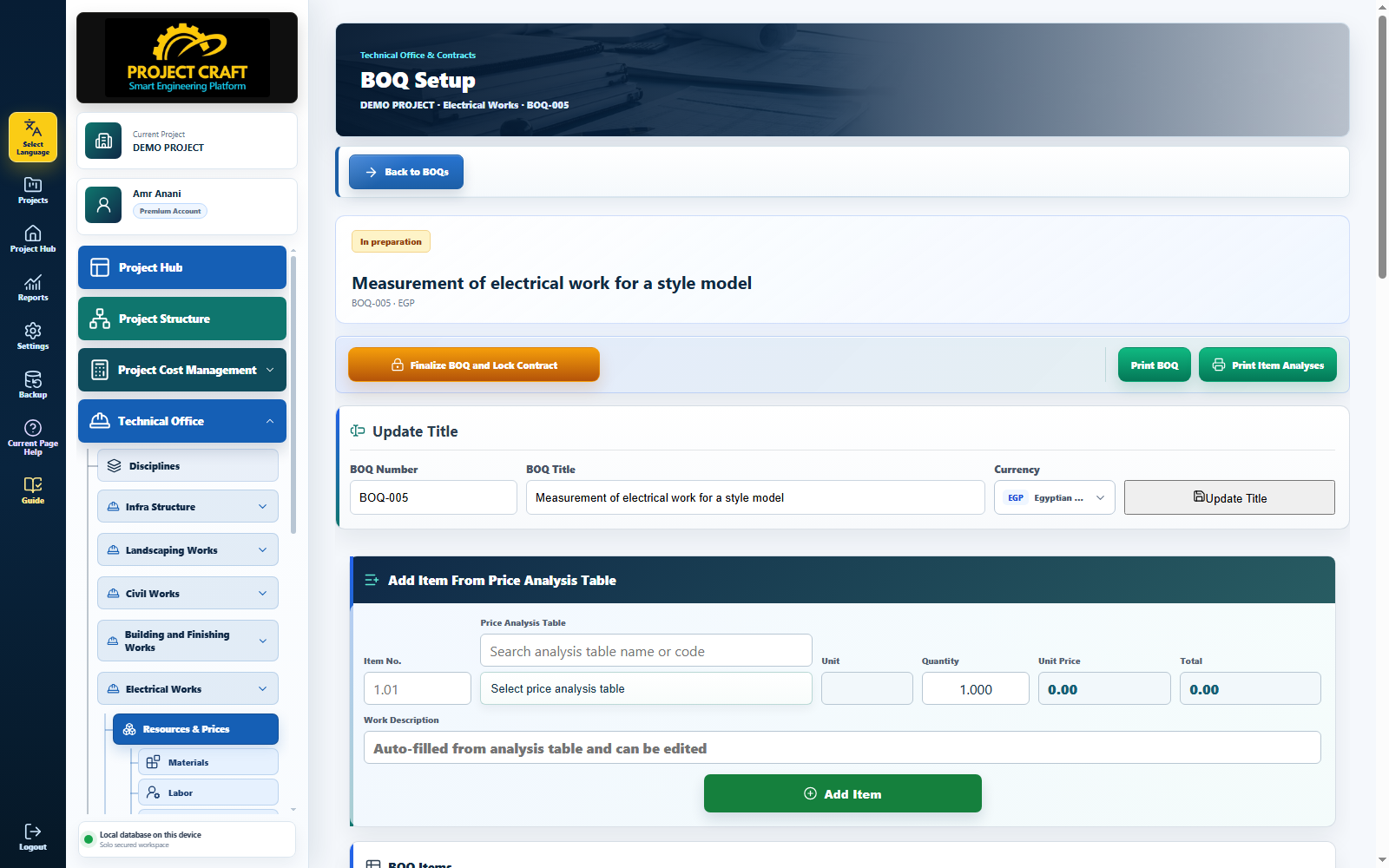
| Review BOQ information and management actions | Verify BOQ number, title, discipline, and currency in the information card. The action strip provides finalization, BOQ printing, item-analysis printing, and navigation back to the BOQ register. |
| Add an item from a price analysis table | Open the analysis selector and use the search field at the top. Select an analysis, then enter item number, work description, and quantity. The application reads the unit and unit rate from the analysis and saves the item. |
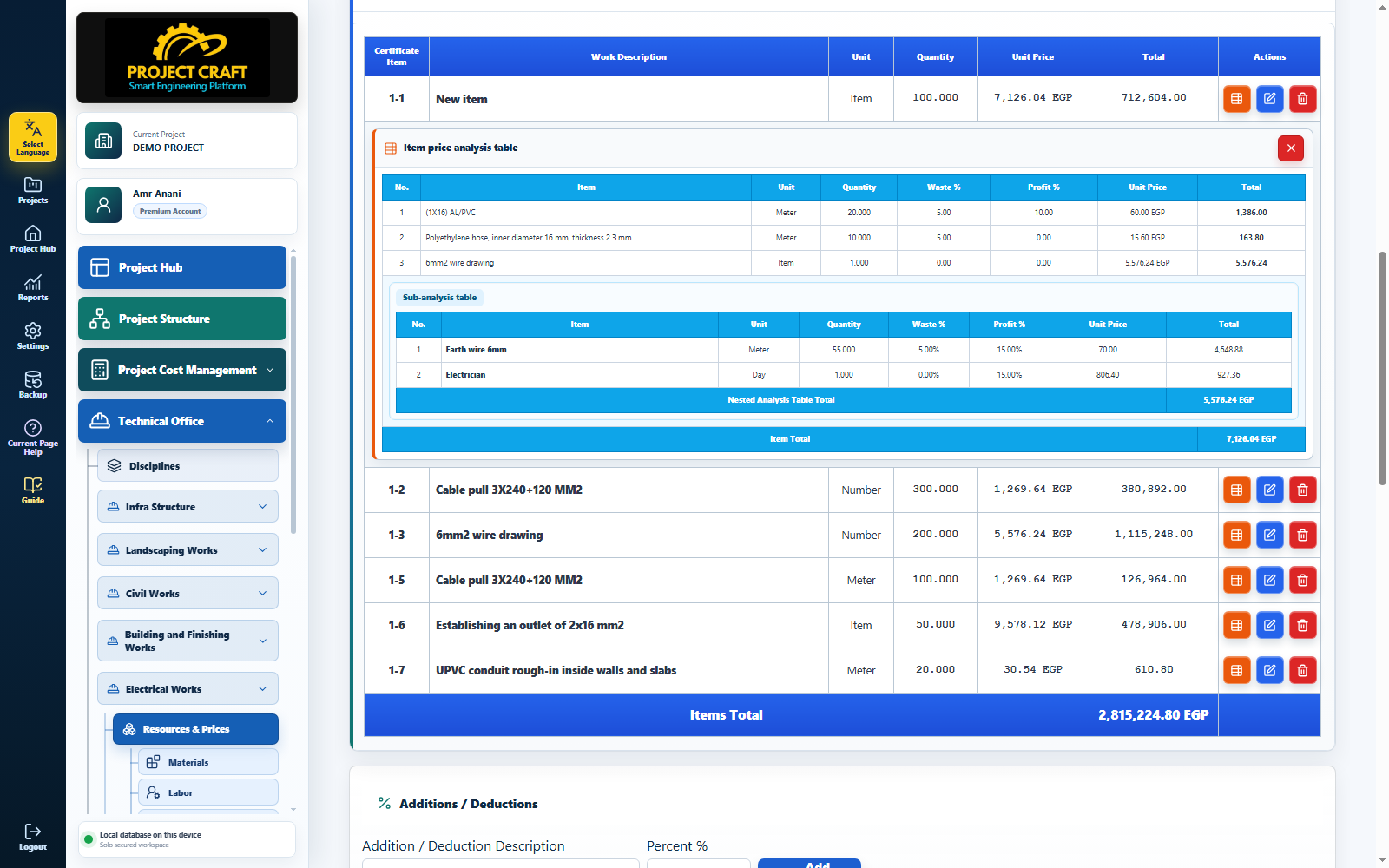
| Review and edit BOQ items | The item table shows item number, work description, unit, quantity, unit rate, and total. Use the blue edit icon to change item data or quantity and the red delete icon to remove it before finalization. |
| Open the item price analysis | Select the orange icon in the Actions cell to expand the item analysis directly below its BOQ row. It shows each component, quantity, waste, profit, rate, and total. A nested analysis appears as a smaller table beneath its parent component. |
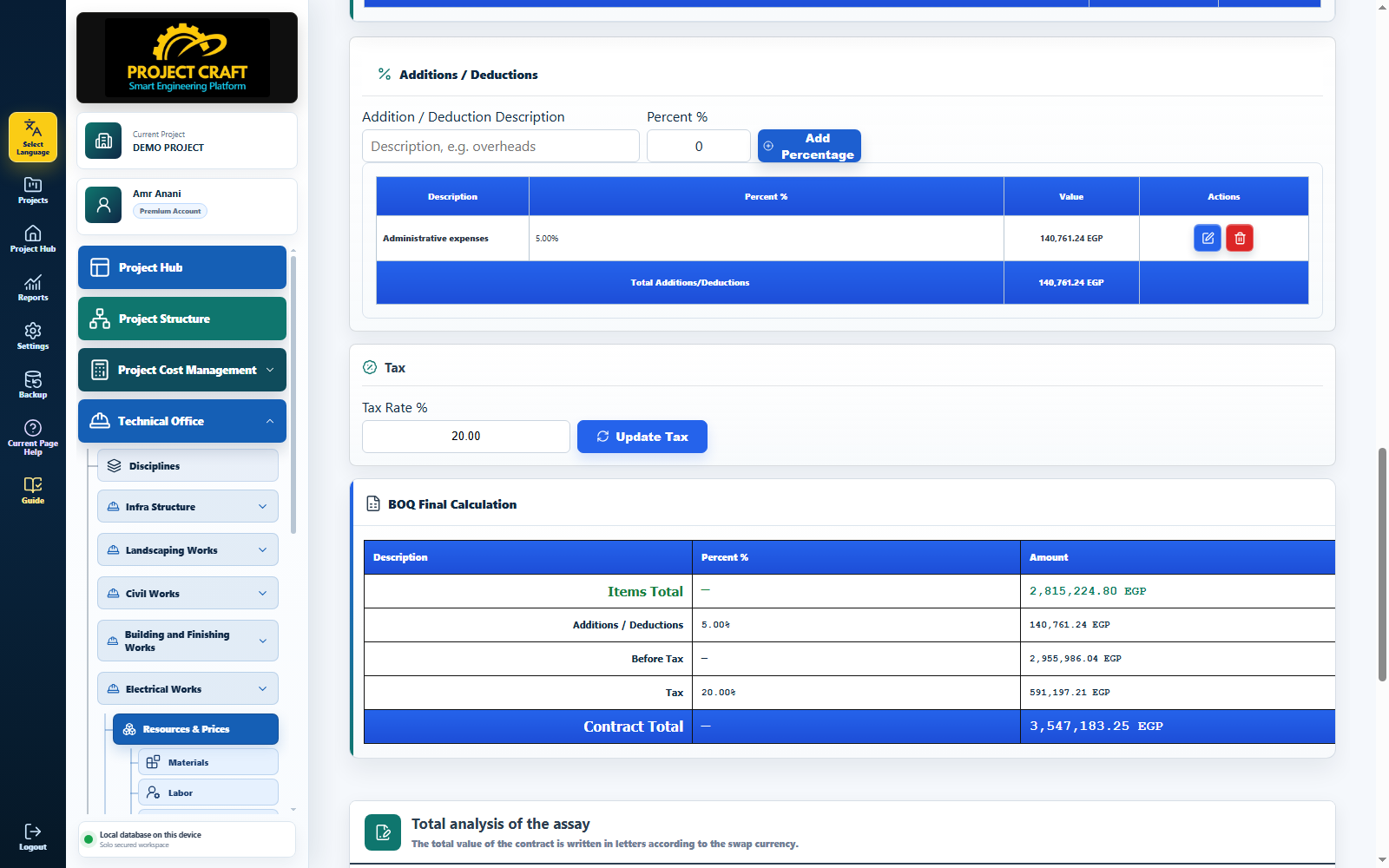
| Enter additions and deductions | Enter a description and percentage, then save. A positive percentage is an addition and a negative percentage is a deduction. The application calculates the amount from the items subtotal and includes it in the final calculation. |
| Enter tax and verify the final calculation | Enter the tax rate and review the full final calculation. The pre-tax total is the item subtotal after additions and deductions; tax is calculated on that value, followed by the final BOQ total. |
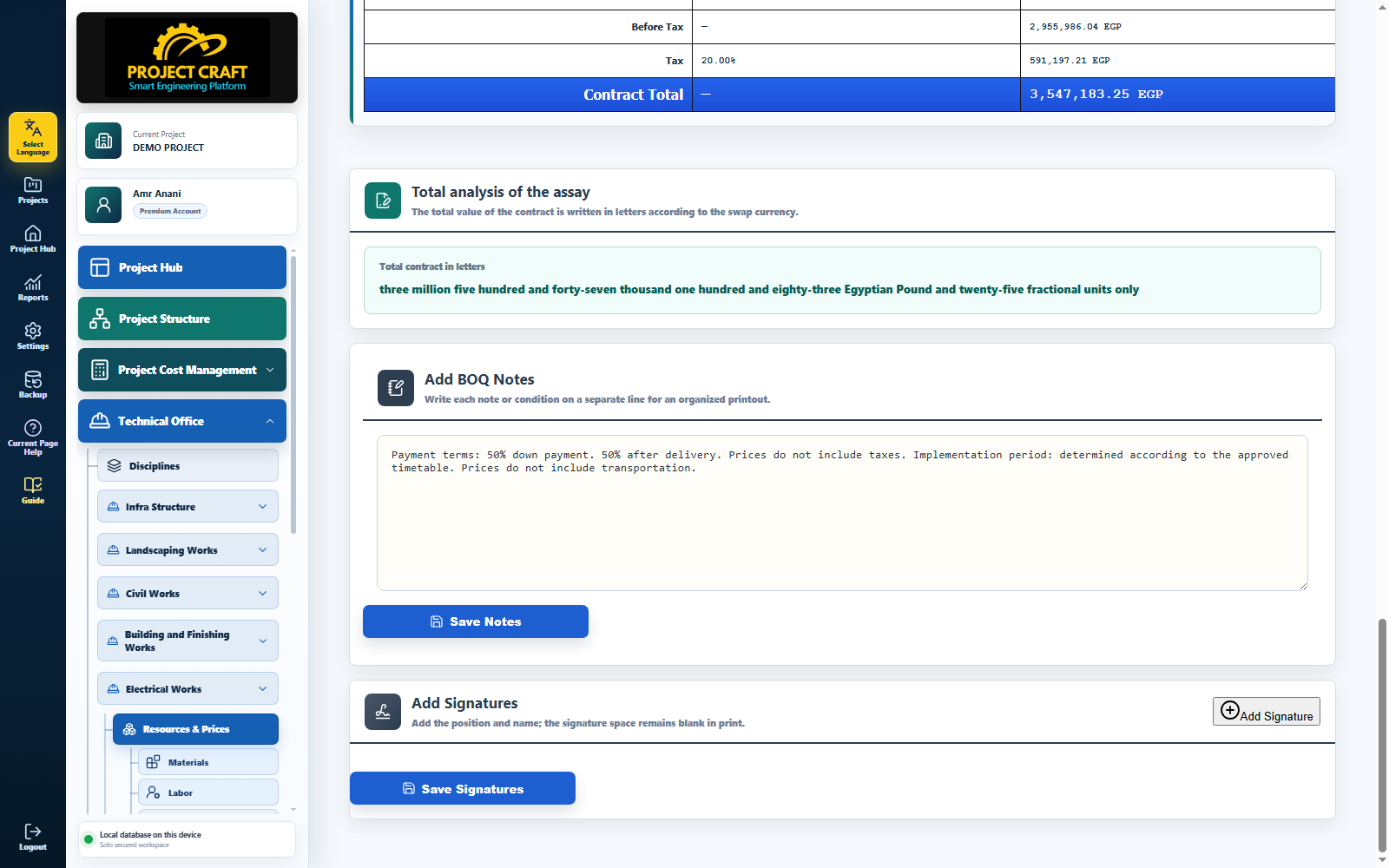
| Review amount in words and add notes | The application converts the final BOQ total into words. Enter general notes in the separate Notes card and save them; they appear in print preview and the printed BOQ. |
| Configure BOQ signatures | Enter contractor, consultant, and owner signature details, including position and name, then save. Organized signature fields are included in the BOQ print output. |
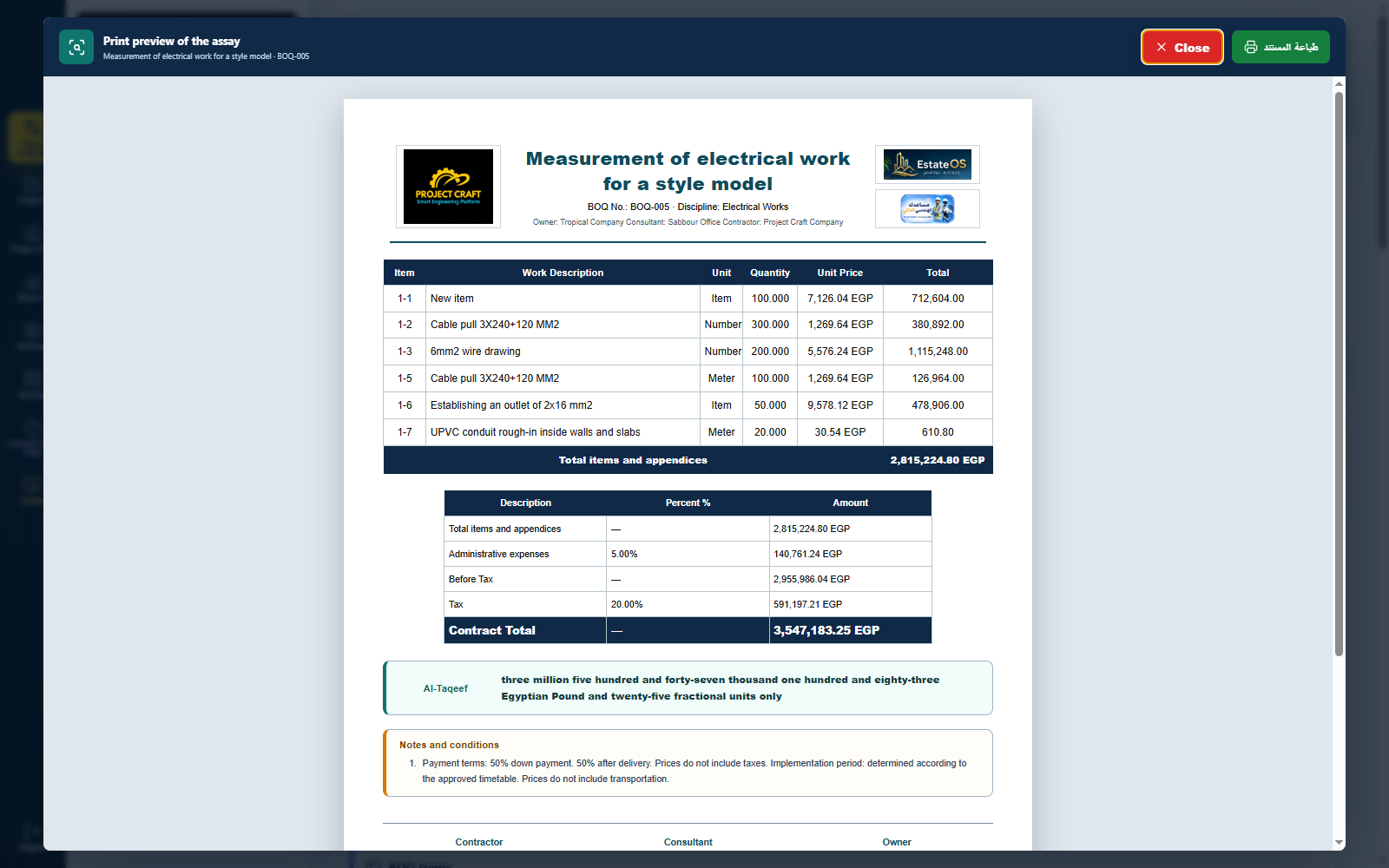
| Verify print output before approval | Select Print BOQ to open a true print preview. Check logos, column widths, non-splitting item rows, final calculation, amount in words, notes, and signatures. Print Item Analyses produces the detailed analysis of every BOQ item. |
| Finalize only after the complete review | Finalization creates a fixed snapshot of items, quantities, rates, and analysis components at contract time. The contract can then be linked to Project Structure and used by schedules, execution, certificates, and reports. |