What does this page do?
Material pages show contract quantity, required supply quantity, stock balance, issued quantity, shortage, and monthly supply plan.
Extract required materials from contracts and schedules.
Material pages show contract quantity, required supply quantity, stock balance, issued quantity, shortage, and monthly supply plan.
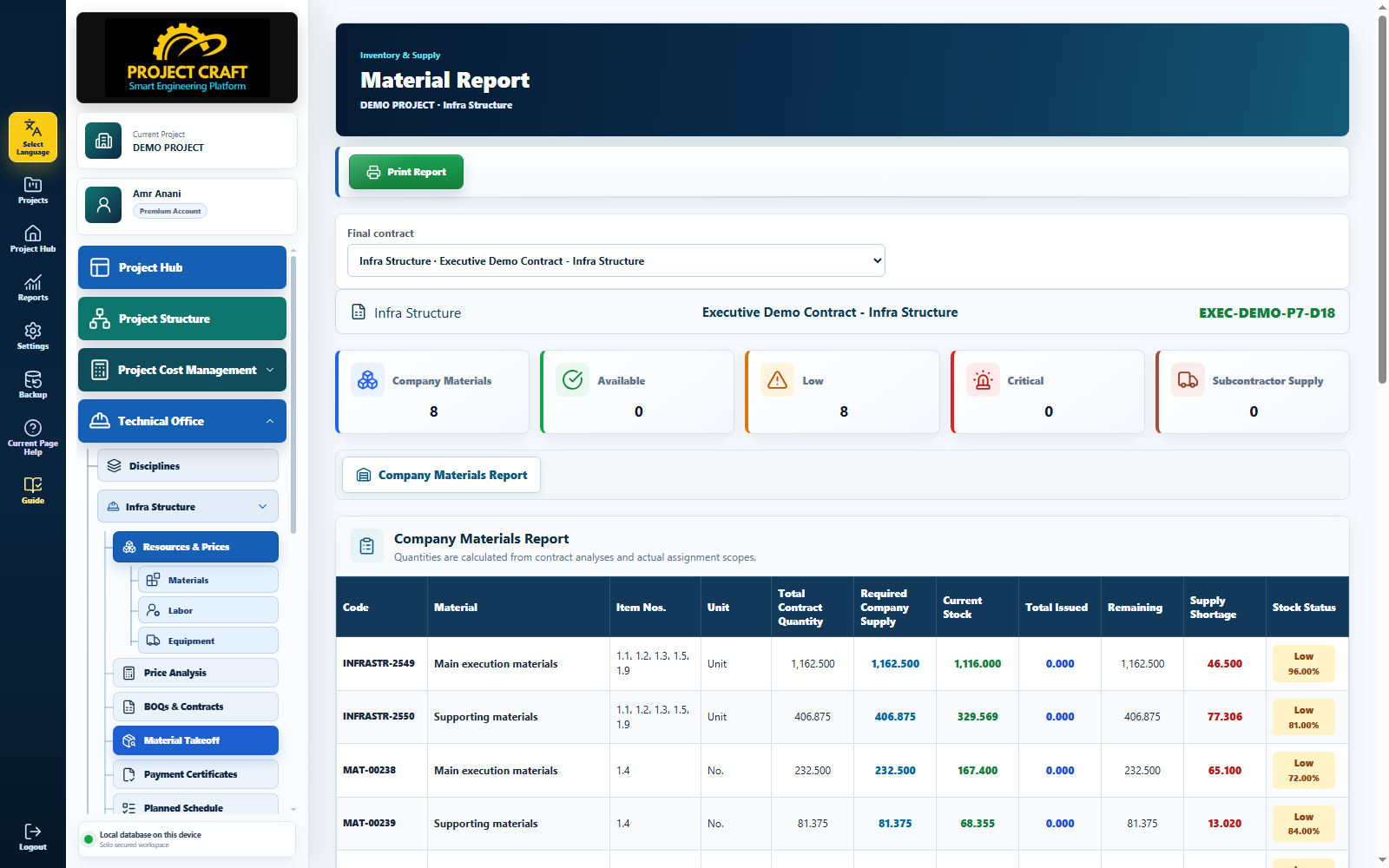
Choose the final contract whose materials you want to review.
Select contractThis quantity is what the company must supply after subcontractor responsibility if any.
Review required supply quantityCompare available stock and issued quantities against contract requirements.
Review stock and issued quantitiesThe plan is generated from the schedule and material-period links.
Review monthly plan| Field or action | Purpose inside the page |
|---|---|
| Select contract | Choose the final contract whose materials you want to review. |
| Review required supply quantity | This quantity is what the company must supply after subcontractor responsibility if any. |
| Review stock and issued quantities | Compare available stock and issued quantities against contract requirements. |
| Review monthly plan | The plan is generated from the schedule and material-period links. |