What does this page do?
The Projects page lists available projects. From here you create a project, open its portal, or edit project data such as name, currency, dates, and logo.
Create a project and define its core data.
The Projects page lists available projects. From here you create a project, open its portal, or edit project data such as name, currency, dates, and logo.
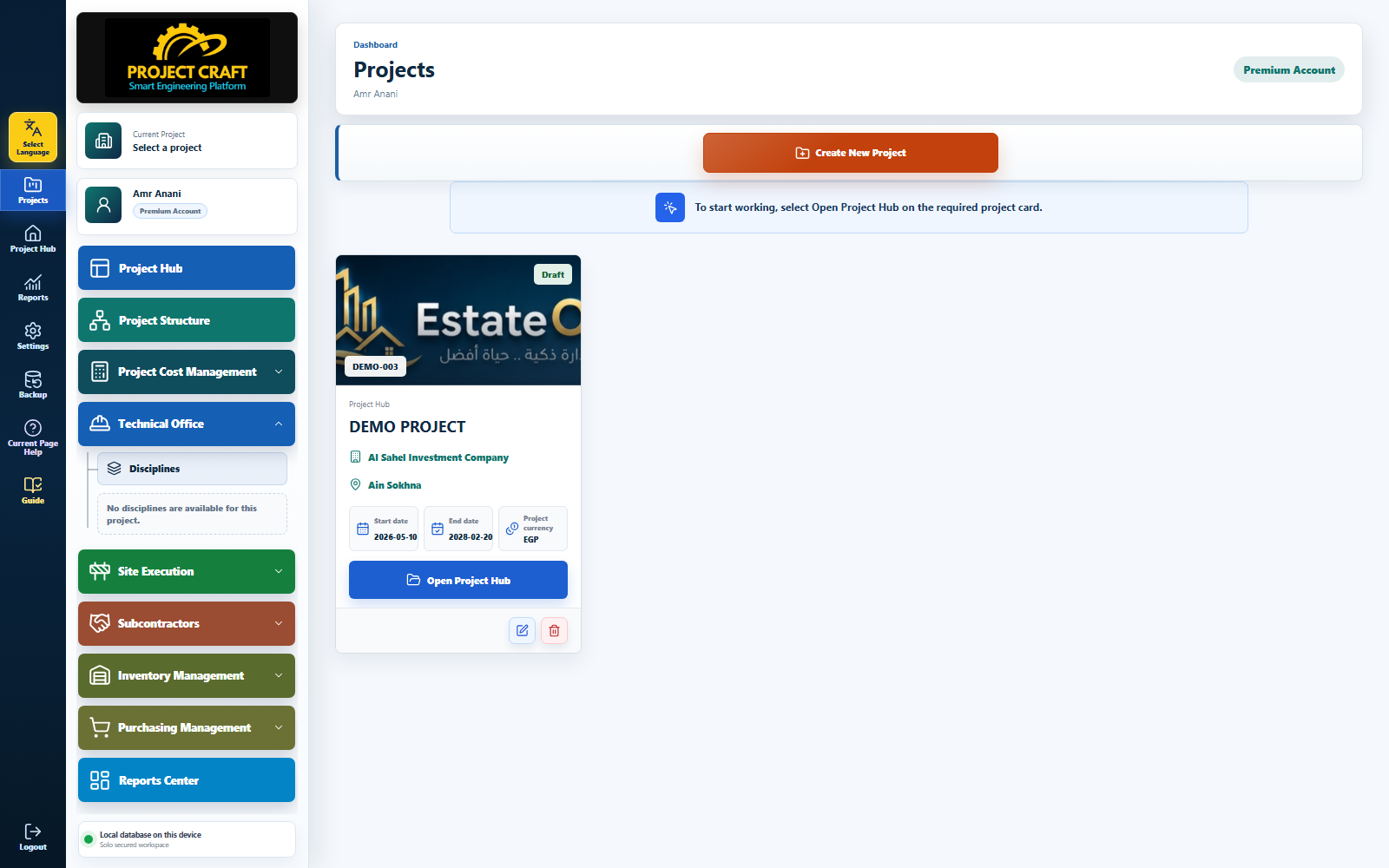
Use the orange button above the project cards to open the project form.
Click Create New ProjectFill name, owner, location, currency, start and end dates, and upload a logo if needed.
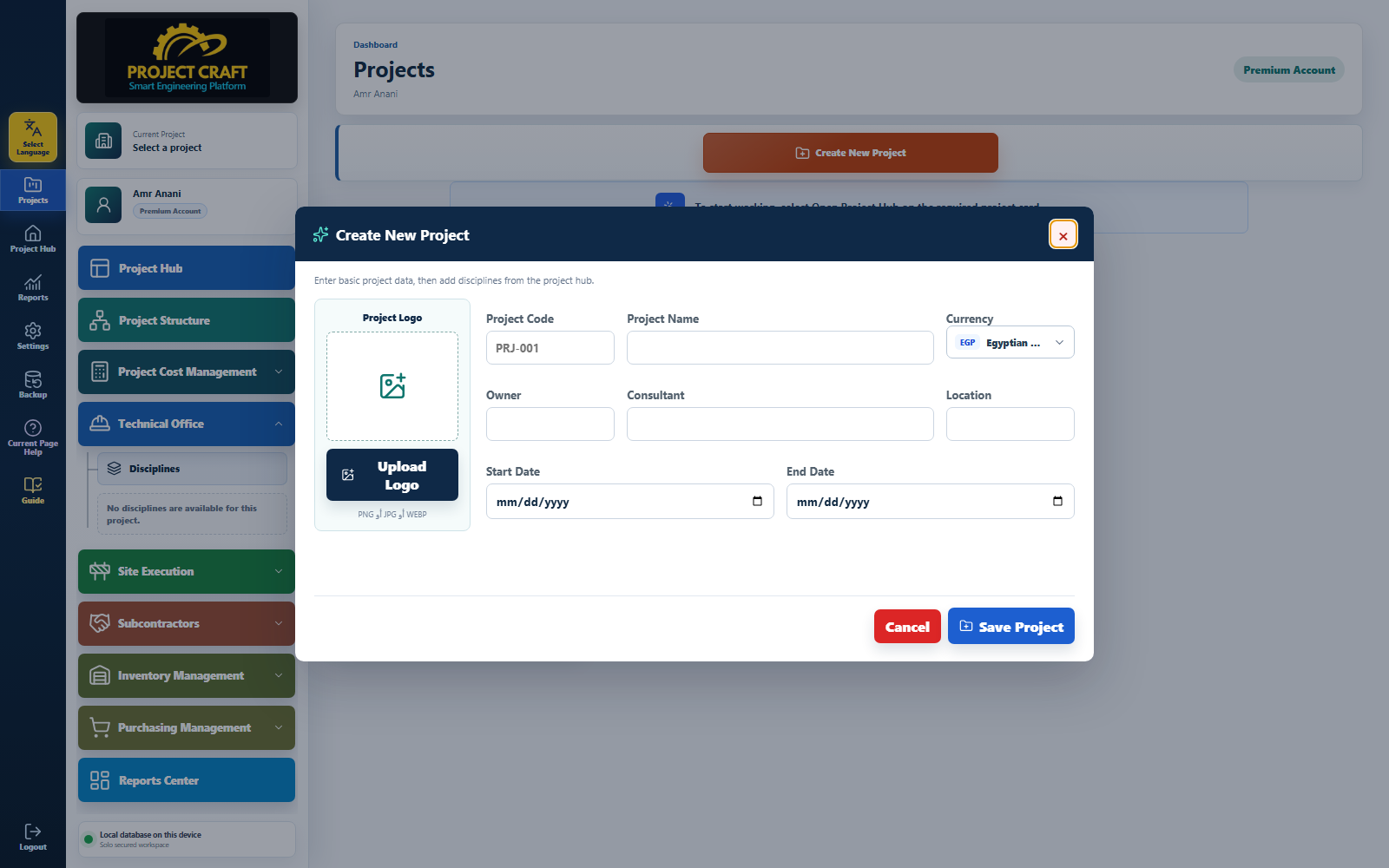 Enter project data
After saving, open the project portal to start working with project modules.
Open Project PortalUse the edit and delete icons in the project card to update or remove project data.
Edit or delete when needed| Field or action | Purpose inside the page |
|---|---|
| Click Create New Project | Use the orange button above the project cards to open the project form. |
| Enter project data | Fill name, owner, location, currency, start and end dates, and upload a logo if needed. |
| Open Project Portal | After saving, open the project portal to start working with project modules. |
| Edit or delete when needed | Use the edit and delete icons in the project card to update or remove project data. |